I’ve been in the web hosting game for over a decade, and if there’s one thing that still makes my head spin, it’s the sheer number of hosting options out there. When I first started, it was simple: shared hosting for your little blog, and a dedicated server for, well, the big guys. Now? It’s a whole different universe. You’ve got VPS, cloud, dedicated, managed, unmanaged… it’s enough to make anyone’s eyes glaze over. Look, choosing the right hosting is the bedrock of your online presence. Get it wrong, and you’re in for a world of slow-loading pages, frustrating downtime, and security nightmares. Get it right, and you’ve got a solid foundation for growth. That’s why I’m cutting through the noise in this guide. We’re going to do a deep dive into the big three: **VPS hosting vs cloud hosting** vs dedicated servers. By the end of this, you’ll know exactly which one is the right fit for your project, your budget, and your sanity. For more information, see our guide on Best WordPress Hosting in 2026: The Definitive Com. For more information, see our guide on The Ultimate Web Hosting Guide 2026: Everything Yo. For more information, see our guide on Web Hosting Customer Support: What to Look For in . For more information, see our guide on Best Web Hosting for Membership and Subscription S. For more information, see our guide on Web Hosting Customer Support: What to Look For in .
Table of Contents
- Demystifying VPS Hosting: Your Private Slice of the Server Pie
- Understanding Cloud Hosting: Power in the Cloud
- The Ultimate Powerhouse: Dedicated Server Hosting
- VPS vs. Cloud vs. Dedicated: A Side-by-Side Comparison
- Making the Right Choice: Which Hosting is Your Perfect Match?
- Frequently Asked Questions (FAQ)
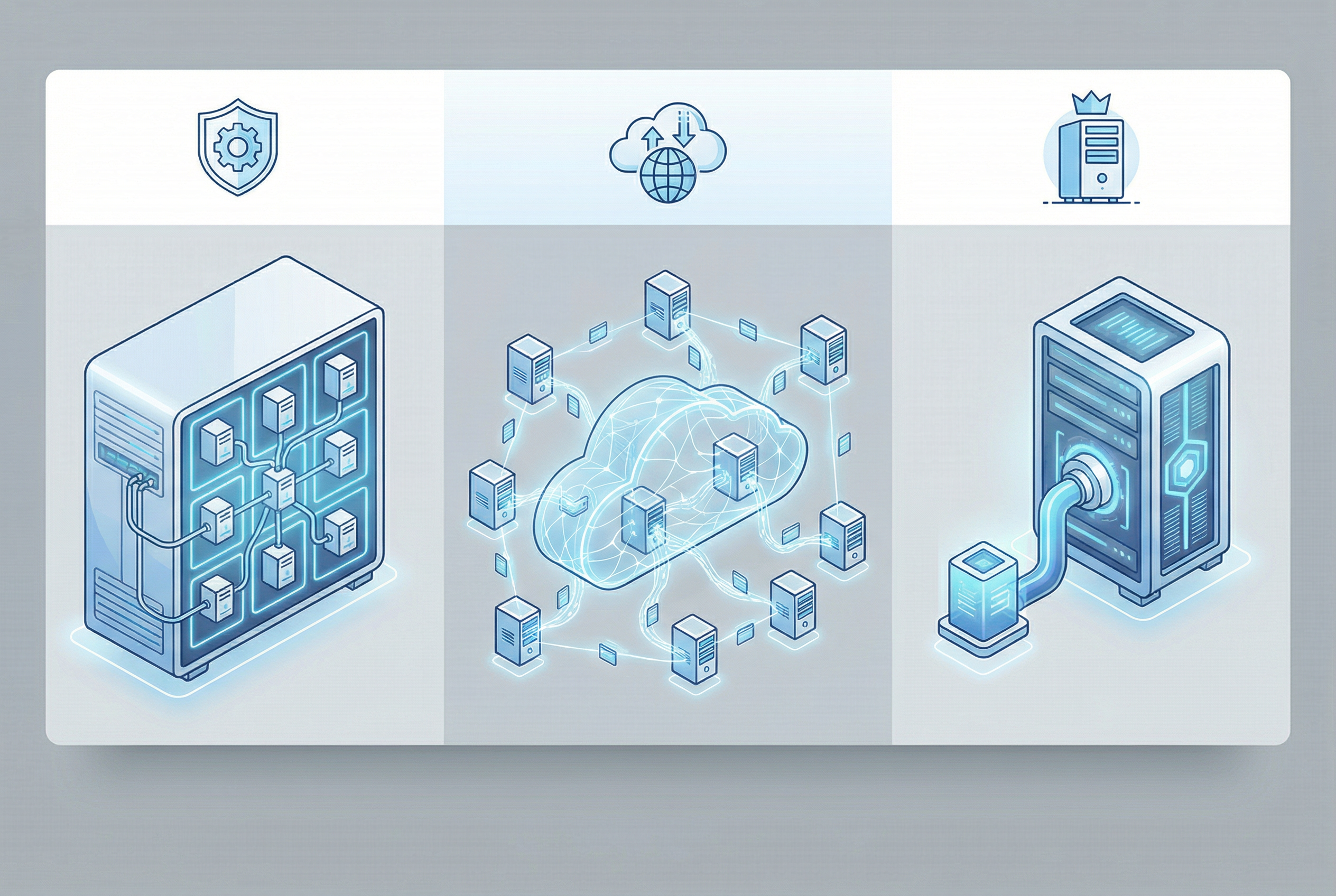
Demystifying VPS Hosting: Your Private Slice of the Server Pie
Alright, let’s start with the one you’ve probably heard about the most: VPS, or Virtual Private Server. Think of a physical server as a huge apartment building. In the old days of shared hosting (which we cover in our shared vs. VPS guide), you were basically renting a room in a crowded apartment with a bunch of other people. You all shared the same kitchen, bathroom, and living space. If one person decided to throw a massive party, everyone else suffered. It was cheap, but man, it could be a headache.
A VPS is like upgrading to your own condo in that building. You still share the building (the physical server), but you have your own dedicated space with your own kitchen, bathroom, and front door. A technology called a hypervisor slices up the physical server into multiple, isolated virtual servers. Each VPS runs its own operating system and has its own dedicated share of the server’s resources—CPU, RAM, and storage. It’s a huge step up from shared hosting, giving you a taste of the dedicated server life without the hefty price tag.
Key Characteristics of VPS Hosting
So what really makes a VPS tick? It boils down to a few core features:
- Guaranteed Resources: Unlike shared hosting, the CPU cores, RAM, and disk space you pay for are yours and yours alone. No more fighting with your neighbors for bandwidth when their site goes viral.
- Root Access & Customization: This is a big one for developers and control freaks like me. With root access, you can install your own operating system, configure server settings, and install any software you need. You have the freedom to create a hosting environment that’s perfectly tailored to your application. If you’re a developer, you might be interested in our article on the best web hosting for Laravel apps.
- Isolation: Even though you’re sharing a physical server, your VPS is digitally walled off from the others. This means another user’s security blunder or traffic spike is highly unlikely to affect your site. It’s not foolproof, but it’s a massive security improvement over shared hosting.
Pros and Cons of VPS Hosting
Honestly, VPS is the sweet spot for a lot of people, but it’s not perfect. Let’s break it down.
| Pros | Cons |
|---|---|
|
|
Understanding Cloud Hosting: Power in the Cloud
Now, let’s talk about the new kid on the block that has completely changed the game: cloud hosting. If a VPS is a condo, cloud hosting is like plugging into the city’s power grid. You don’t own a specific generator; you just tap into a massive, interconnected network of power stations and draw as much electricity as you need, whenever you need it. It’s a fundamentally different approach to hosting.
Instead of your site living on one single server, it’s hosted on a virtual partition that draws resources from a vast network of underlying physical servers. If one server in the network fails, another one instantly picks up the slack. This distributed approach is what gives cloud hosting its signature reliability and scalability. It’s the technology that powers giants like Netflix and Airbnb, but it’s now accessible to everyone. For small businesses looking to leverage this technology, our guide on the best cloud hosting providers for small businesses is a great starting point.
Core Principles of Cloud Hosting
Cloud hosting is built on a few powerful ideas:
- Scalability & Flexibility: This is the cloud’s superpower. Need to handle a massive, unexpected traffic spike from a viral marketing campaign? Cloud hosting can automatically scale up your resources in real-time to meet the demand, and then scale back down when things quiet down. It’s elasticity on demand.
- High Availability & Redundancy: Because your website is mirrored across multiple servers, the risk of downtime due to hardware failure is virtually eliminated. This built-in redundancy provides a level of reliability that’s difficult to achieve with a single server.
- Pay-As-You-Go Pricing: This can be a huge advantage, but also a potential pitfall. You typically only pay for the resources you actually consume. This is great for startups and businesses with fluctuating traffic, but it can also make budgeting a bit unpredictable if you’re not careful.
Advantages and Disadvantages of Cloud Hosting
Cloud hosting sounds amazing, right? For many, it is. But it’s important to understand both sides of the coin.
| Advantages | Disadvantages |
|---|---|
|
|

The Ultimate Powerhouse: Dedicated Server Hosting
Welcome to the top of the hosting food chain: the dedicated server. If a VPS is a condo and cloud hosting is the city power grid, a dedicated server is your own private, sprawling estate. You’re not sharing anything with anyone. The entire physical server—every CPU core, every gigabyte of RAM, every last byte of storage—is exclusively yours. This is the hosting solution for the pros, the high-traffic websites, the mission-critical applications, and anyone who simply refuses to compromise on performance and control.
When I provisioned my first dedicated server, I’ve got to admit, it was a little intimidating. There’s no hand-holding. You get a bare-metal machine, and it’s up to you to build it into what you need. But the feeling of having all that raw power at your fingertips? It’s exhilarating. You have complete and utter control over the hardware and software, allowing for a level of customization and security that’s simply not possible in a shared environment. For businesses that need this level of power, our list of the best dedicated servers for small businesses can be a great resource.
Defining Features of a Dedicated Server
What sets a dedicated server apart? It’s all about exclusivity and control:
- Exclusive Resources: This is the big one. 100% of the server’s resources are dedicated to your website or application. This means you get predictable, top-tier performance, no matter what’s happening on other servers in the data center.
- Maximum Performance: With no virtualization layer and no other users to compete with, you get the absolute best performance possible from the hardware. This is crucial for high-traffic e-commerce stores, large databases, and other resource-intensive applications.
- Full Control & Security: You have complete control over the server’s configuration, from the operating system to the security protocols. This allows you to create a highly secure, customized environment that meets your exact specifications. Our dedicated server security guide provides more information on this topic.
Weighing the Pros and Cons of Dedicated Servers
A dedicated server is the pinnacle of hosting, but it’s not the right choice for everyone. Here’s an honest look at the trade-offs.
| Pros | Cons |
|---|---|
|
|
VPS vs. Cloud vs. Dedicated: A Side-by-Side Comparison
Okay, we’ve looked at each hosting type individually. Now, let’s put them head-to-head. Here’s the thing: the best choice for you depends entirely on your specific needs. So, I’ve broken it down into two comparison tables to make it crystal clear.
Feature Comparison
| Feature | VPS Hosting | Cloud Hosting | Dedicated Server |
|---|---|---|---|
| Performance | Good to Excellent | Excellent and Consistent | Exceptional |
| Scalability | Good (manual upgrades) | Excellent (automatic scaling) | Limited (requires hardware upgrades) |
| Control | High (root access) | High (full control over virtual environment) | Complete (full hardware and software control) |
| Security | Good (isolated environment) | Very Good (distributed and redundant) | Excellent (fully isolated) |
| Price | $$ (Affordable) | $$$ (Pay-as-you-go, can be unpredictable) | $$$$ (Most Expensive) |
| Technical Expertise | Medium | Medium to High | High |
Best Use-Case Scenarios
| Use Case | VPS Hosting | Cloud Hosting | Dedicated Server |
|---|---|---|---|
| Small Business Websites | ✔ (Excellent choice) | ✔ (Good for growth) | Overkill |
| High-Traffic Blogs | ✔ (Good starting point) | ✔ (Ideal for traffic spikes) | ✔ (For very large blogs) |
| E-commerce Stores | ✔ (For small to medium stores) | ✔ (Excellent for scalability) | ✔ (For large, high-volume stores) |
| Development Agencies | ✔ (Great for multiple client sites) | ✔ (Flexible for various projects) | ✔ (For high-demand clients) |
| Large Enterprises | No | ✔ (Scalable and reliable) | ✔ (For mission-critical applications) |
Making the Right Choice: Which Hosting is Your Perfect Match?
So, the million-dollar question: how do you actually choose? Honestly, it comes down to a frank assessment of your needs. I’ve seen too many people overspend on a dedicated server they didn’t need, or try to run a booming e-commerce site on a cheap VPS and wonder why it keeps crashing. Let’s walk through the key factors to consider.
Consider Your Budget
This is the most obvious starting point. If you’re just starting out, a dedicated server is likely off the table. A VPS offers a predictable, affordable monthly cost, making it a safe bet for most small to medium-sized projects. Cloud hosting can be very affordable if your traffic is low, but you need to be prepared for costs to rise as your site gets more popular. My advice? Start with a realistic budget and see which options fit. Don’t forget to factor in potential future growth.
Evaluate Your Technical Skills
This is a big one. Be honest with yourself about your technical comfort level. A dedicated server requires you to be a system administrator. If the thought of using the command line to update security patches makes you break out in a cold sweat, a managed hosting solution is a much better fit. Both VPS and cloud hosting come in managed and unmanaged flavors. If you’re not a techie, I strongly recommend going with a managed plan. It’s worth the extra cost for the peace of mind. For more on this, check out our comparison of managed vs. unmanaged WordPress hosting.
Project Your Traffic and Growth
Where do you see your website in a year? Five years? If you’re expecting steady, predictable growth, a VPS can scale with you quite comfortably. If you’re in an industry with huge seasonal spikes (like e-commerce during the holidays) or you’re hoping for a viral hit, the on-demand scalability of cloud hosting is a massive advantage. Don’t just plan for the traffic you have now; plan for the traffic you want to have.
Security and Compliance Needs
For most websites, the security offered by a reputable VPS or cloud provider is more than enough. However, if you’re handling sensitive data like medical records or financial information, you may have specific compliance requirements (like HIPAA or PCI-DSS) that necessitate the isolated environment of a dedicated server. Always do your due diligence on the security and compliance features of any hosting provider you’re considering.

Frequently Asked Questions (FAQ)
What is the main difference between VPS and cloud hosting?
The biggest difference is the underlying structure. A VPS is a single physical server divided into a few isolated virtual machines. Cloud hosting, on the other hand, uses a large network of interconnected servers to host your site. This makes cloud hosting inherently more scalable and redundant, while a VPS offers a more traditional, fixed-resource environment at a predictable cost.
Can I upgrade from VPS to cloud or dedicated hosting later?
Absolutely. Most hosting providers make it relatively easy to migrate between hosting types. I’ve done it countless times for clients who outgrew their initial plans. It usually involves some planned downtime, but a good provider will help you manage the process smoothly. It’s always a good idea to choose a host that offers a clear upgrade path.
Is cloud hosting more secure than VPS?
This is a tricky one. Both can be highly secure if configured correctly. Cloud hosting has the advantage of a distributed network, which can mitigate DDoS attacks more effectively. However, a well-managed VPS with proper security protocols can be just as secure for most use cases. The biggest factor, honestly, is the expertise of the person managing the server.
How much technical knowledge do I need for a dedicated server?
A lot. I’m not going to sugarcoat it. With an unmanaged dedicated server, you are the system administrator. You need to be comfortable with the command line, server software, security hardening, and troubleshooting. If you’re not a seasoned pro, I’d strongly recommend either a managed dedicated server or starting with a managed VPS or cloud plan.
Is “dedicated server vs VPS” a more important comparison than cloud?
It really depends on your needs. The **dedicated server vs VPS** debate is a classic one, focusing on the trade-off between cost and raw power on a single machine. However, with the rise of scalable applications, the **VPS hosting vs cloud hosting** comparison has become just as, if not more, important for businesses planning for growth and flexibility.
What are the best VPS hosting providers?
That’s a whole article in itself! But some of the top names I consistently see delivering great performance and value are DigitalOcean, Vultr, and Linode for developers, and providers like InMotion Hosting and A2 Hosting for more user-friendly, managed VPS solutions. We have a detailed guide on the best VPS hosting for small businesses that you should check out.
How does a cloud hosting comparison differ from a VPS comparison?
When doing a **cloud hosting comparison**, you’re looking at factors like the ease of scaling, the pricing model (per-hour vs. per-month), the global availability of data centers, and the robustness of the network. With a VPS comparison, you’re more focused on the guaranteed resources (CPU, RAM), the quality of the underlying hardware, and the level of management provided.
Are there any good resources for hosting types explained in more detail?
Of course! We have a ton of resources right here on WebHostAdvize. I’d recommend starting with our guide for beginners, which breaks down all the foundational concepts. From there, you can dive into more specific comparisons and reviews to really narrow down your options.
References
- El Kafhali, S., & Salah, K. (2018). Performance analysis of multi-core VMs hosting cloud SaaS applications. Computer Standards & Interfaces, 58, 58-69. https://www.sciencedirect.com/science/article/pii/S092054891730048X
- Balen, J., Vajak, D., & Salah, K. (2020). Comparative performance evaluation of popular virtual private servers. Journal of Internet Technology, 21(4), 1039-1048. https://jit.ndhu.edu.tw/article/view/2256
- Alharthi, S., & other authors. (2024). Auto-Scaling Techniques in Cloud Computing: Issues and Challenges. Sensors, 24(17), 5551. https://www.mdpi.com/1424-8220/24/17/5551